
Overview
From 2022–2025, I worked as a UX/UI Designer at MTEK.
Their product, MBrain, is a Manufacturing Execution System (MES) used to monitor, track, and manage production on the factory floor, from raw materials through to finished products.
I worked on expanding MBrain's design system with reusable components, clearer visual foundations, and practical documentation for the development team.
I put together clear specifications and guidance for sizing, spacing, interaction states, and component usage, working closely with the team to discuss and refine the decisions behind them.
Challenge
MBrain already had a set of design guidelines, but they hadn’t kept pace with the product. Developers often found themselves recreating components or having to figure out for themselves how new interfaces should look and behave.
We needed clearer, shared guidelines so designers and developers could make more consistent decisions as the product continued to evolve.
approach
Design System in Practice
The design system brought together shared visual foundations, reusable components, and practical guidance for building consistent interfaces.
The examples below show some of the areas I worked on and documented.
Design System Overview
This overview brings together representative examples of the foundations, components, and product patterns I worked on.
The original documentation covered additional components, specifications, and implementation guidance.
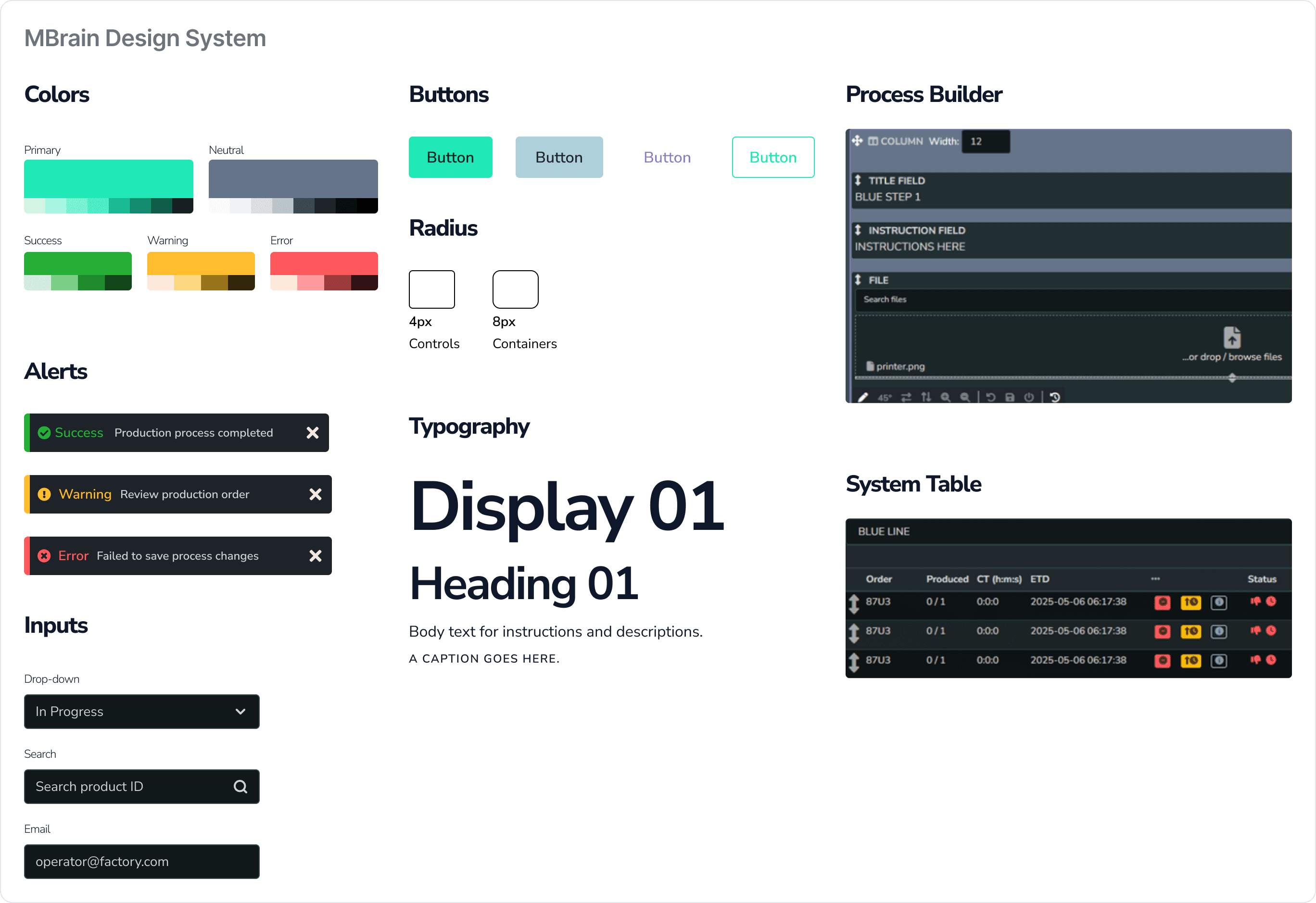
Making the Guidelines Easier to Navigate
As the design system expanded, the existing documentation became harder to navigate.
Existing documentation
Previously, design guidance was spread across long, technical pages covering things like typography, colour, components, and forms. Finding the right guidance often meant knowing where to look.
Before


A Redesigned guidelines hub
I reorganized the guidelines into clearer categories and added search because I expected the documentation to grow over time, giving people a more direct way to find what they needed.

Creating a new palette and colour roles
The previous palette relied on names like Pumpkin, Haze, and City Glass.
These names were memorable, but they didn't communicate where or how each colour should be used.
MBrain was a dark, information-dense production system, so colour needed to do more than support the brand. It also had to provide enough contrast and communicate status and severity clearly when users were working with a lot of information at once.
Before

Working with the team, I helped create a new palette with semantic roles and consistent ranges of shades and tints based on our brand and system colours so they could work across different backgrounds and UI contexts.
After

Moving to semantic roles was especially important in a production system, where colours needed to communicate status and severity clearly.
Warning, for example, signalled that continuing could lead to a more serious error, while Danger was reserved for the more critical state.
Documenting Components
I documented components beyond their visual appearance, defining hierarchy, states, sizing, spacing, and icon placement so the team had a clear reference when building them.
Button Hierarchy
Button styles and sizes were being used inconsistently, and some screens had multiple Primary actions competing for attention.
We introduced a clearer hierarchy, including a rule of one Primary action per screen, and documented when to use each button type and size.


The button system defined Primary, Secondary, and Tertiary actions in three sizes, with ghost variants available when a lighter touch was needed.
Button specifications
I documented dimensions, spacing, and icon placement for each size and configuration.


Input States
Form controls were documented across Default, Active, Focused, Error, and Disabled states, including variations with icons and supporting error messages.


Scaling Components Consistently
Beyond individual components, I documented guidance for layout and typography, including how patterns should scale across different sizes.
This gave the team a shared reference instead of having to make those decisions from scratch each time.


Outcome
The design system gave developers a shared reference for building and using components consistently across the product.
My team leader later told me that the work improved development efficiency, reduced visual inconsistencies, and that the design system is still in use today.
Reflections
Working on the design system taught me that reusable components are only part of the answer. Without practical guidance on how to use them, inconsistencies have a way of creeping back in.
It pushed me to focus just as much on documentation as on the components themselves, and to think more carefully about what people need to use a design system without having to fill in the gaps.


